Posting pics revisited... Again.

Posting pics revisited... Again.
Alright guys. Here is the tutorial on how to post pics using a third party image hosting website. First you will need to sign up for a image hosting account. I prefer to use google photos since I have been using it for around 10 years to share pics with family members. If you have a gmail account you already have a google photos account and can load your pics using google plus. Other websites you can use are Flickr, imageshack, photobucket etc. Then upload your photos using their instructions. Each site is a bit different so read their instructions. Once you have your photo uploaded you should be able to view the image. With the image open in your web browser on google photos you should be able to right click on the photo and select "copy image url " [img]http://lh3.googleusercontent.com/-PhRjp ... image1.jpg[/img] Then come to b33 forums and create your new topic or click reply to topic at the bottom of the page. Once this page is open you should see an image of a picture frame. [img]http://lh3.googleusercontent.com/-ffLkb ... image2.jpg[/img] Click it and you will see a couple of "img" brackets inserted into the body of your text box. [img]http://lh3.googleusercontent.com/-4eycp ... image3.jpg[/img] Click between the two "img" brackets and paste your image URL from earlier in between the two opposing brackets. It should look something like this. [img]http://lh3.googleusercontent.com/-R3hKL ... image4.jpg[/img] You can type above the brackets and below the brackets but not in between them. [img]http://lh3.googleusercontent.com/-RmmFU ... image5.jpg[/img] You may then preview your post by clicking the preview button to see what everyone else sees. If your picture doesn't show up you did something wrong. It should look something like this. [img]http://lh3.googleusercontent.com/-Oe6OX ... image6.jpg[/img] If it looks correct the click "post new topic". Hope to see everyone's photos!


These two questions came up last time so I figured I would just spearhead em first. If you want to create a new topic then click the new topic button at the top of the page. If you would like to post pics in an existing thread then scroll down to the bottom of the page and click the "reply to topic" link just above the quick reply text box. [img]http://lh3.googleusercontent.com/-9DLj9 ... /reply.JPG[/img] And here is the picture URL that you want to copy from photbucket for use to use on the b33 website. Just select the entire URL, right click, and select copy. Then, paste it between the "img" brackets in your text body on the b33 website. [img]http://lh3.googleusercontent.com/-gxRPS ... bucket.JPG[/img]


-
Blue Label
- Lieutenant

- Posts: 16
- Joined: Wed Dec 08, 2010 6:52 pm
- Location: Aruba
-
Blue Label
- Lieutenant
- Posts: 16
- Joined: Wed Dec 08, 2010 6:52 pm
- Location: Aruba
[img][IMG]http://i721.photobucket.com/albums/ww21 ... image.jpeg[/IMG][/URL][/img] Not completely correct, but getting there. This is blue label 😀
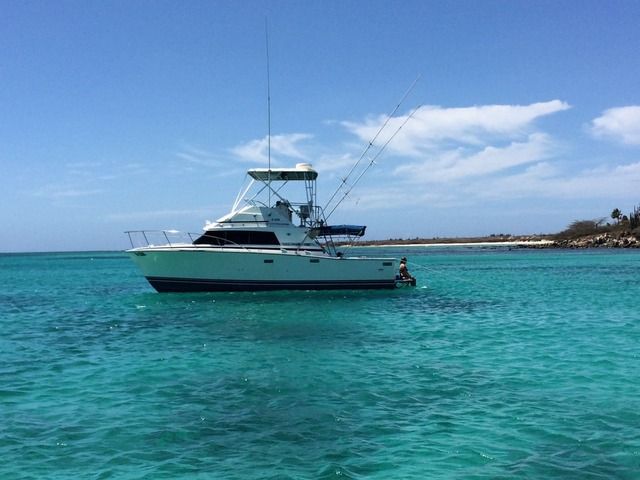
Eric de Cuba Blue Label 87 SF, 454 Aruba
-
Keith in Corpus
- Lieutenant
- Posts: 58
- Joined: Sun Feb 21, 2016 7:52 am
- Location: USA